What's New
Dropdown Arrow
New Widget: Grain Harvest Fire Risk Level

New Widget: Grain Harvest Fire Risk Level

How to Access the Fire Risk Widget in the INCYT App

As harvest season heats up, keeping an eye on fire risk is more important than ever. To make this easier, the INCYT app has a Fire Risk Widget built right into the Weather Application; giving you instant access to local harvest risk levels based on near real-time weather conditions.

‍

Here’s how to find and use it:

  1. Open the INCYT App on your phone or tablet.
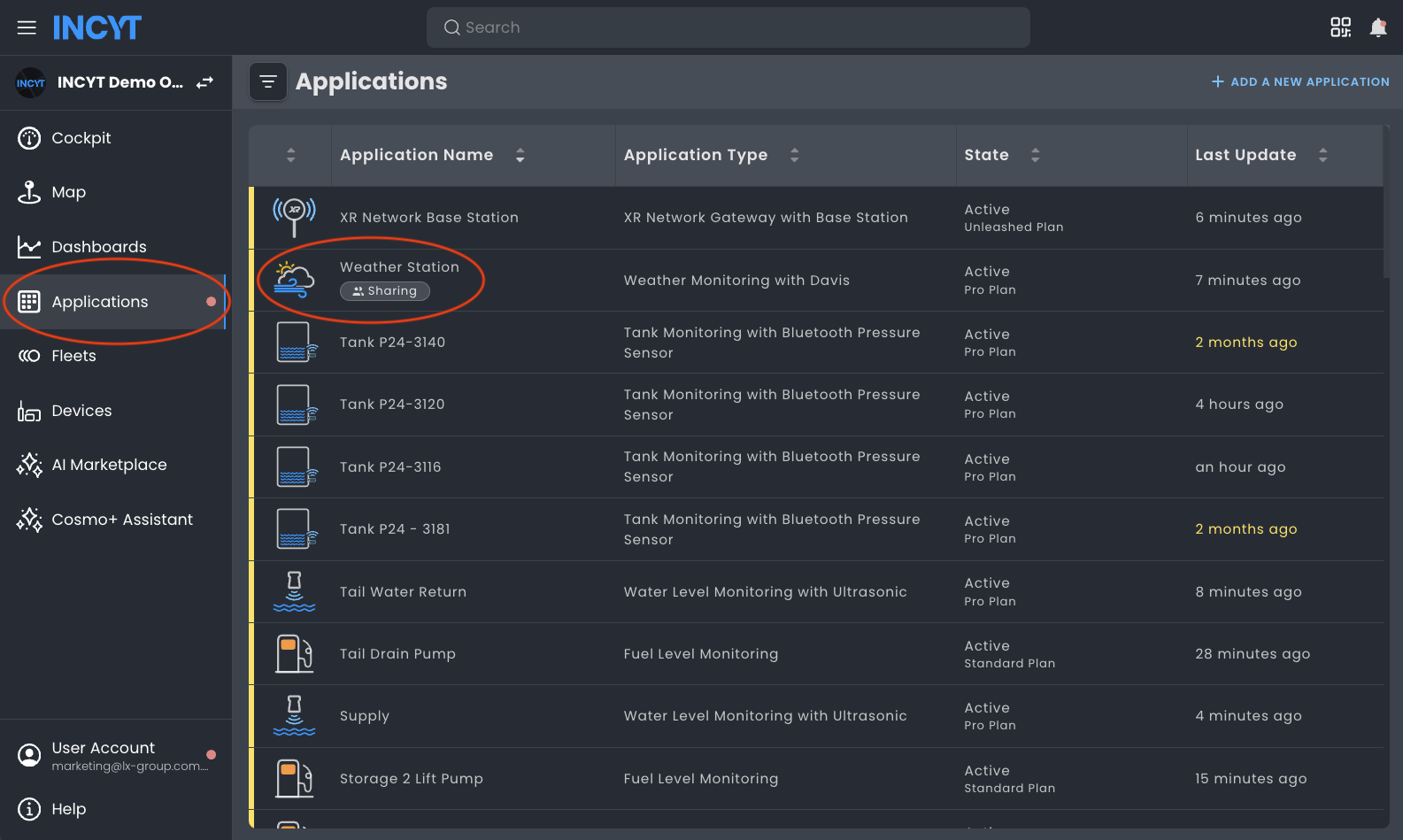
  2. Tap on the Applications tab.
  3. Select the Weather Station application.

‍

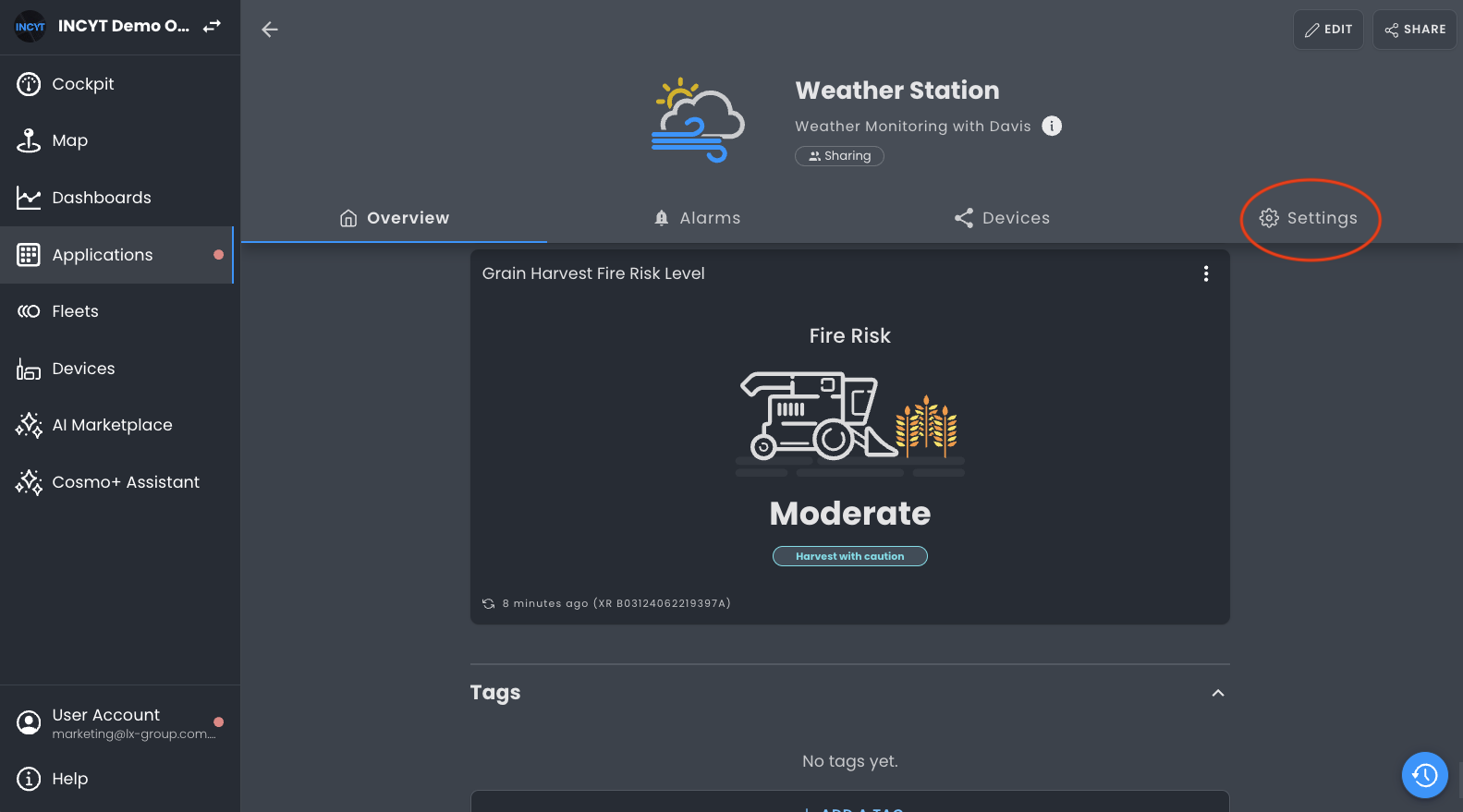
  1. Scroll to the bottom of the application.
  2. If you can't see the Fire Risk Level widget, click settings.

    ‍

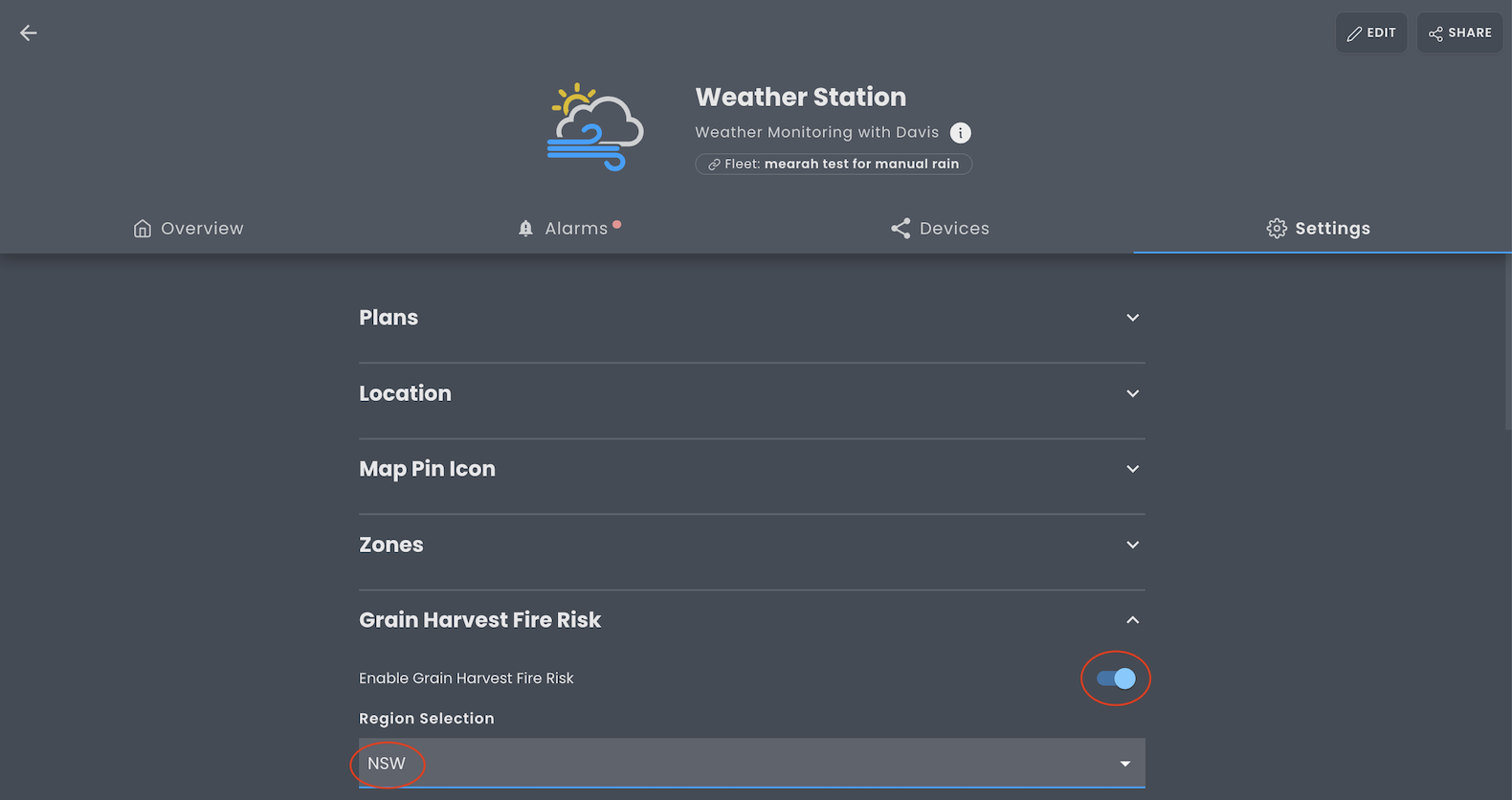
    1. Toggle the widget on, and select the state that is applicable to you.
    2. Now you can go back to the weather station application and see the widget. Tap it to view the finer details including factors like wind speed, temperature, and humidity that contribute to the fire risk rating.

    ‍

    Want to keep it front and centre? You can also add the Fire Risk Widget to your Cockpit for quick access:

    1. Head to the Cockpit tab.
    2. Click edit, followed by the plus (+) icon to add a widget.

    ‍

    1. Scroll to select the Weather Station application, click next.
    2. Scroll to select the Grain Harvest Fire Risk Level Widget.
    3. Tap Add Selection, and you’re done!

    ‍

    Now your fire risk level is always just a glance away; helping you make safer, smarter decisions this harvest. 🌾


    ‍

    About the author
    Katie Churchill

    As INCYT's Partner & Operations Manager, Katie drives company growth, client satisfaction, and logistics ensuring new clients have a smooth deployment, and existing clients remain connected and updated.

    Your cart
    Your cart is empty
    Go to shop
    Product Name
    $0
    $0
    Option 1 / Option 2 / Option 3
    Weekly Delivery
    Product Discount (-$0)
    COUPON1 (-$0)
    -
    Thank you! Your submission has been received!
    Oops! Something went wrong while submitting the form.
    +
    Delete
    Success message won't be visible to user. Coupon title will be listed below if it's valid.
    Invalid code
    Coupon1
    Coupon2
    Success message won't be visible to user.
    Error message won't be visible to user.
    Subtotal
    $0
    Order Discount
    -$0
    COUPON2
    -$0
    Total
    $0
    Thank you! Your submission has been received!
    Oops! Something went wrong while submitting the form.