.png)
Agriculture
Built With Growers: INCYT at the 2026 Australian Cotton Conference
An snapshot from content we showcased at 2026 Cotton Conference where we were a Silver Sponsor.
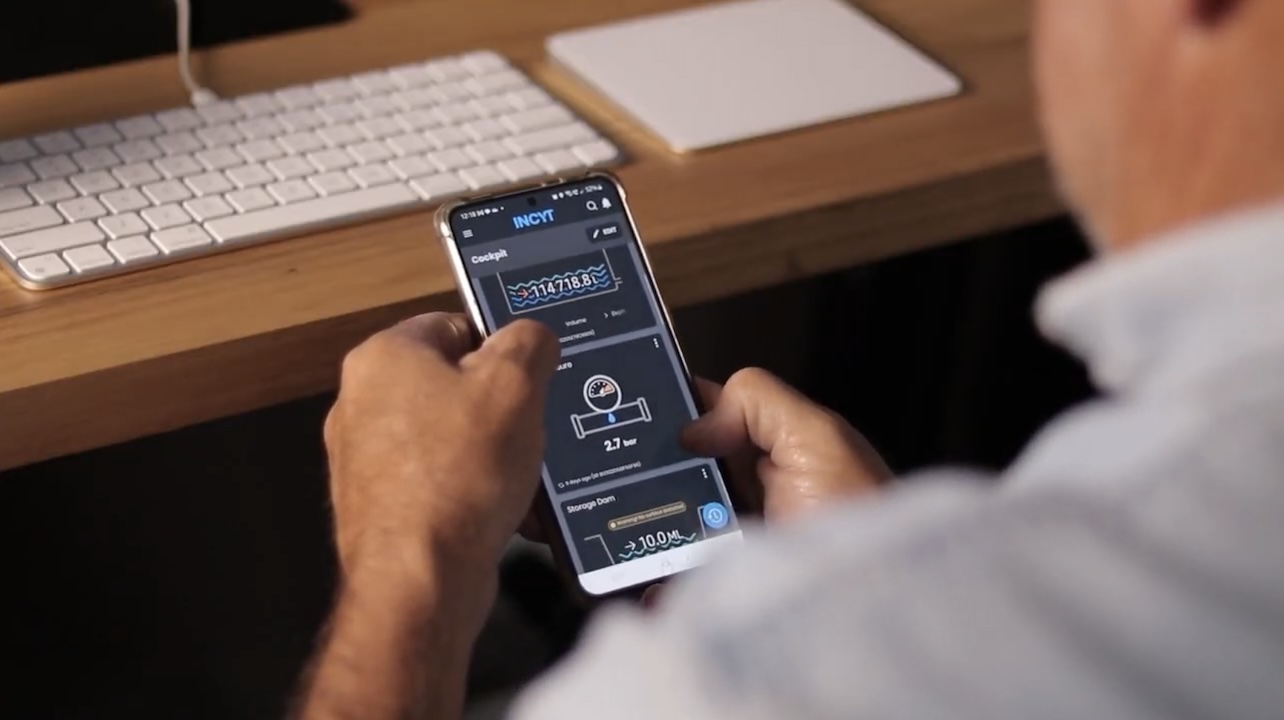

A lot of growers get their sensors running, connect to the INCYT Cockpit, and settle into a rhythm of checking their own data. That is exactly what the platform is for. But there is a capability built into INCYT that most users have not explored yet, and once you know it is there, it changes how you think about who can benefit from what your sensors are telling you.
It is called widget sharing, and it does what the name suggests.
Farm operations do not run in isolation. During a season, you might have a contracted irrigation manager checking soil moisture across multiple blocks, an agronomist tracking conditions during a critical growth period, or a seed company representative wanting to verify what your sensors are recording at a particular point in time. Getting that information to those people usually means screenshots, phone calls, or logging in yourself and reading data out to someone on the other end of the line. Or you share your login details, which is not ideal.
Widget sharing gives you a better option. You choose exactly which widgets to share, who receives them, and how long the access lasts. The recipient sees what you have chosen to show them. Nothing else.
Take a cotton grower managing flood irrigation across a large property. During an irrigation run, staff working shifts need to keep across channel levels, pump status, and fuel. Rather than relying on radio calls or driving out to check, the grower can share the relevant widgets directly from the INCYT Cockpit. Shift workers see what they need in real time. The rest of the operation stays private.
The same logic applies to an agronomist who needs to monitor crop conditions remotely, or a neighbouring operation keeping an eye on a shared weather station. The share can be set to run for the duration of the season, or switched off the moment the arrangement changes.
You can share your entire cockpit, a specific sensor application, or a custom dashboard you have built for the purpose. The custom dashboard option is worth noting because it lets you curate exactly what the recipient sees. Build a view with only the widgets relevant to them, and share that.
Sharing happens via email invitation or QR code if the person is with you in person. Recipients accept the invitation and either create a free INCYT account or log in with an existing one. You can check who has access at any time and revoke it with a single click.
The widget sharing capability reflects something important about how INCYT thinks about the platform. Farm operations involve more than one person, and the data coming off your sensors often has value beyond your own dashboard. Making it easy to share that data selectively, securely, and without friction is part of building a platform that works for how farms actually run.
If you have not explored this part of INCYT yet, it is worth ten minutes. The INCYT Academy has a short guide on widget sharing, and if you want to talk through how it might fit your setup, the INCYT team is a good place to start.
Learn How
We have a full article on how to do this in this blog post: How to share widgets in INCYT with people outside your operation

.png)